
In 2018 I wrote a post called “I use plain text files for all of my notes”. It was mostly about escaping note app churn. Eight years later, I am still doing the same thing.
I still use plain text. Nothing fancy replaced it. If anything, I lean into it harder now.
The tools shifted. Some apps disappeared. Some pivoted. Some became more complex than they needed to be. But the underlying model never changed for me. Files on disk.
Right now I use MarkEdit on macOS. It is basically TextEdit for Markdown. Fast, native, no ecosystem ambitions. It opens files. That is it. It does not try to become my knowledge graph.
I still have iA Writer on my phone and installed on Mac. On iOS it is solid. On desktop I mainly use it if I want a cleaner preview. But day to day, it is Finder plus MarkEdit.
That combination gives me more satisfaction than any “second brain” tool ever has.
My naming convention is strict:
YYYY_MM_DD_this_is_a_note.mdAll lowercase. Underscores. No discussion.
Sorted by name ascending in Finder gives oldest first. Descending gives newest first. Since the date is leading and zero padded, it is chronologically stable forever. I can also sort by “Date Modified” if I need to see active work. Nothing special required. The filesystem already solves this.
I use a single working directory. Just one folder. At some point, if something becomes a real project, it moves into a project-level folder. Not a knowledge taxonomy. Not a graph. Just practical grouping.
It is intentionally unsophisticated.
The daily file is the anchor:
YYYY_MM_DD_daily.mdEvery morning it starts with:
Yesterday - What was completed:
    >
Today - What is being worked on next
    >
Blockers - Anything preventing progress
    >
Priority changes - New work or shifts in focus
    >
Follow-ups offline - Items needing separate discussion
    >
That feeds straight into stand-up. Below that I just keep typing. Notes from calls. Observations. Quick reminders. Random fragments. It becomes a dated scratch pad. If I ever need to know what happened on a specific day, I can find it instantly.
No dashboards. No backlinks. No database migrations.
One thing that has changed since 2018 is AI.
As a software engineer, I am inside AI tools for hours every day. I often draft responses outside the terminal. I write them in MarkEdit, tighten them up, then paste into Claude Code. I use `—“ as separators so I effectively build my own transcript of exchanges. It becomes a durable log of thinking, decisions, iterations.
That only works cleanly because everything is plain text.
LLMs operate natively on text. Agents operate on files. Git operates on text. Ripgrep operates on text. There is zero impedance mismatch. My notes are not trapped behind a UI abstraction.
I have tried Obsidian multiple times. Every time I end up configuring it, adding plugins, setting a theme, thinking about structure and it just turns into theatre. That is procrastination disguised as productivity for me personally.
The irony is I appreciate Obsidian’s model and purpose. If I ever needed it, my notes would drop straight in. That is the benefit of sticking to Markdown. I am not locked out of deeper tooling. I just choose not to live inside it.
Someone once mentioned to me that the way I work is vaguely like Zettelkasten. I’ll be honest, I have never studied it seriously. I am not building a knowledge philosophy. I am writing things down so I can think clearly and move on.
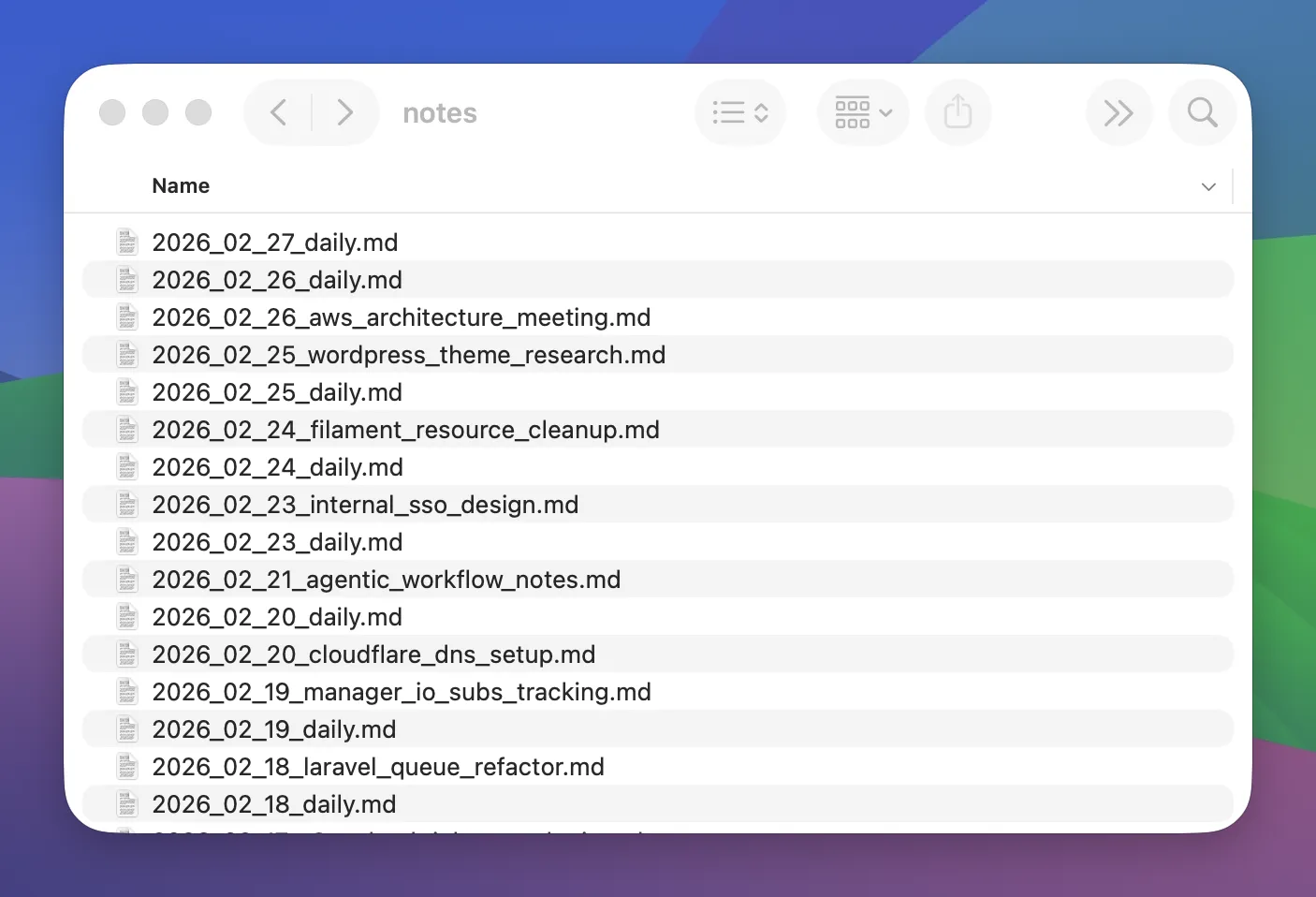
The entire (boring) system is:
- Markdown files
- MarkEdit
- Finder
- One working directory
- Organise later if needed
It is boring, but it scales and it survives trends. I still feel the same thing I felt in 2018.